● Updated October 2026 · Independent Guide
KineMaster Mod APK: What It Really Is, the Risks & Watermark-Free Options
Searching for KineMaster Mod APK because of the watermark or the Premium price? You are not alone, and this guide gives you the honest picture before you install anything.
We do not host or link any modified files. Instead, we explain what a KineMaster Mod APK claims, what can go wrong on your phone and your projects, and the legit ways to get clean, watermark-free videos. The official app is free on Google Play and the App Store.
✔ No modified files hosted✔ Official store links only✔ Facts checked October 2026
500M+Downloads
4K 60fpsExport
Free+ Premium
3+Rated
Official store links · We never host modified files
📑 In this guide
- KineMaster at a Glance
- What Is KineMaster Mod APK?
- Why Creators Search for KineMaster Mod APK
- Is KineMaster Mod APK Safe?
- KineMaster Mod APK vs Official KineMaster
- KineMaster Free vs Premium
- How to Use KineMaster Without Watermark (Legally)
- Key Features of Official KineMaster
- How to Download KineMaster Safely
- Already Installed a Modified Version? Do This
- Best KineMaster Alternatives
- Pros and Cons of Using a Mod
- Final Thoughts
- Frequently Asked Questions
KineMaster at a Glance
500M+
Downloads
4.4★
Play Store rating
4K 60fps
Max export
3+
Content rating
| Detail | Information |
|---|---|
| App | KineMaster – AI Video Editor |
| Developer | KineMaster Corporation, Seoul, South Korea |
| Platforms | Android, iPhone, iPad, Apple silicon Mac, Chromebook |
| Downloads | 500 million+ on Google Play |
| Price | Free, with optional Premium subscription |
| Premium | About $8.99/month or $59.99/year (varies by region) |
| Free plan | Full editing toolkit, exports include a watermark and ads |
| Max export | Up to 4K at 60 FPS (device dependent) |
What Is KineMaster Mod APK?
A KineMaster Mod APK is an unofficial copy of the KineMaster Android installer that someone outside the company has unpacked, edited and rebuilt. The goal is usually to switch on paid features for free, then share the file on third-party download sites under names like “KineMaster Pro”, “Premium Unlocked” or “Diamond”.
Because the file is rebuilt by an unknown person, it no longer carries KineMaster’s original signature. That single detail explains most of the problems people run into later: failed installs, missing updates, crashes and lost projects.
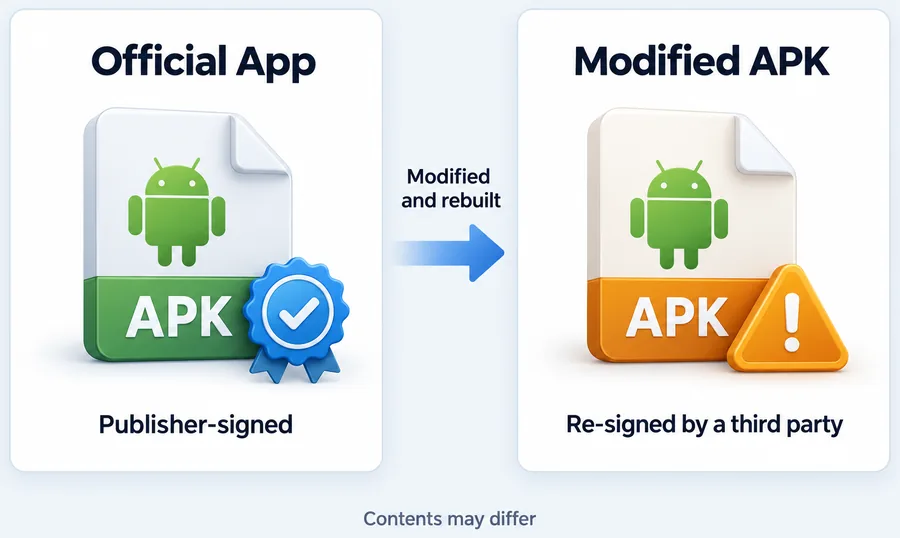
What KineMaster Mod APK Sites Usually Claim
- No watermark on exported videos
- Premium unlocked, including Premium assets
- All Asset Store items free: effects, transitions, fonts, music
- No ads inside the editor
- Extra features in variants like Diamond, Green or Black mods
These are claims made by uploaders, not by KineMaster, and nobody can verify what else was changed inside the code.
Why Creators Search for KineMaster Mod APK
- The watermark. Free exports include the KineMaster watermark, which looks unprofessional on client work or YouTube.
- The subscription price. Premium is a recurring cost, which feels heavy for students and new creators.
- Premium assets. Some effects, music and templates need Premium to export.
- Ads. The free plan shows ads while you edit.
Every one of these has a legitimate answer, which we cover in the watermark section below.
Is KineMaster Mod APK Safe?
Short answer: there is no way to verify it, and that is the problem. Even mod sites admit that nothing downloaded outside an official store can be guaranteed safe.
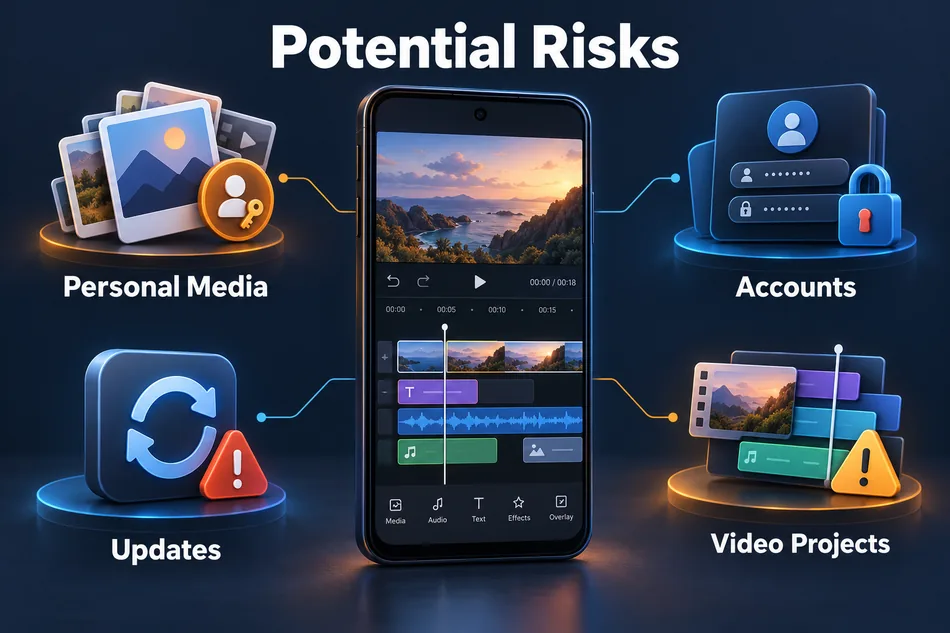
Malware and Hidden Code
Repackaged apps are a common way to spread adware and data-stealing code. A file can look and edit exactly like the real KineMaster while running something else in the background.
Your Media and Microphone
A video editor asks for access to your photos, videos and microphone. Giving those permissions to unknown code exposes your personal gallery.
Account and KineCloud Risks
Signing in to a modified app with your KineMaster or Google account puts that account and your cloud project backups at risk.
No Updates, More Crashes
A KineMaster Mod APK cannot update from Google Play, so you miss new AI tools and bug fixes, and older mods often crash on newer Android versions.
Corrupted Projects
Projects made in a modified build may not open correctly in the official app later, which can cost you hours of editing.
Terms of Service
Unlocking paid features without paying breaks KineMaster’s terms and takes support away from the team that builds the app.
KineMaster Mod APK vs Official KineMaster
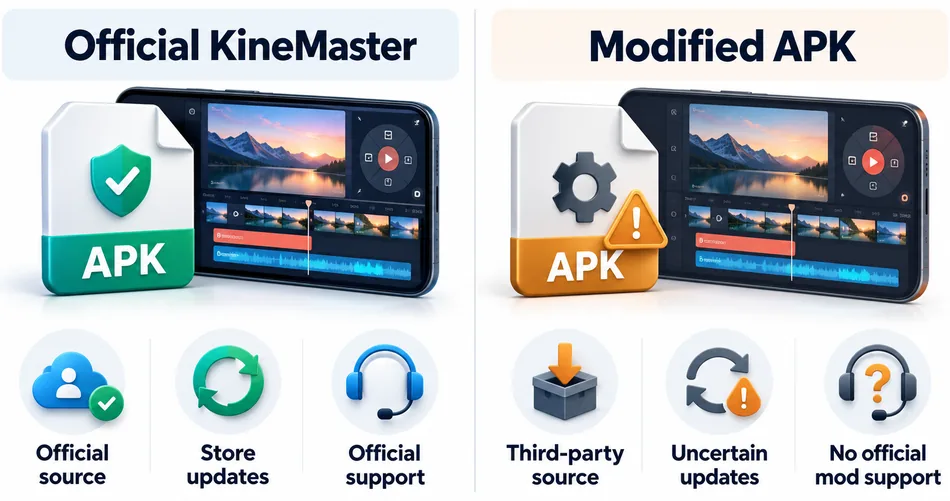
| Point | Official KineMaster | Modified APK |
|---|---|---|
| Source | Google Play / App Store | Unknown third-party sites |
| App signature | Original, verified | Removed and re-signed |
| Security scanning | Google Play Protect | None you can trust |
| Updates and new AI tools | Automatic | Manual, often broken |
| KineCloud and account | Safe | At risk |
| Watermark removal | Premium subscription | Edited code |
| Support | Official support team | None |
KineMaster Free vs Premium
| Feature | Free | Premium |
|---|---|---|
| Editing tools | Full toolkit | Full toolkit |
| Export quality | Up to 4K | Up to 4K |
| Watermark | Yes | No |
| Ads | Yes | No |
| Premium assets in exports | No | Yes |
| KineCloud storage | Limited | 10 GB |
| Spring portrait editor | Free version | Spring Premium included |
According to KineMaster, the free plan includes the full editing toolkit, so you can learn and edit everything before deciding whether Premium is worth it for you.
How to Use KineMaster Without Watermark (Legally)
“KineMaster without watermark” is one of the biggest searches in this niche, and it has honest answers that do not involve a KineMaster Mod APK.
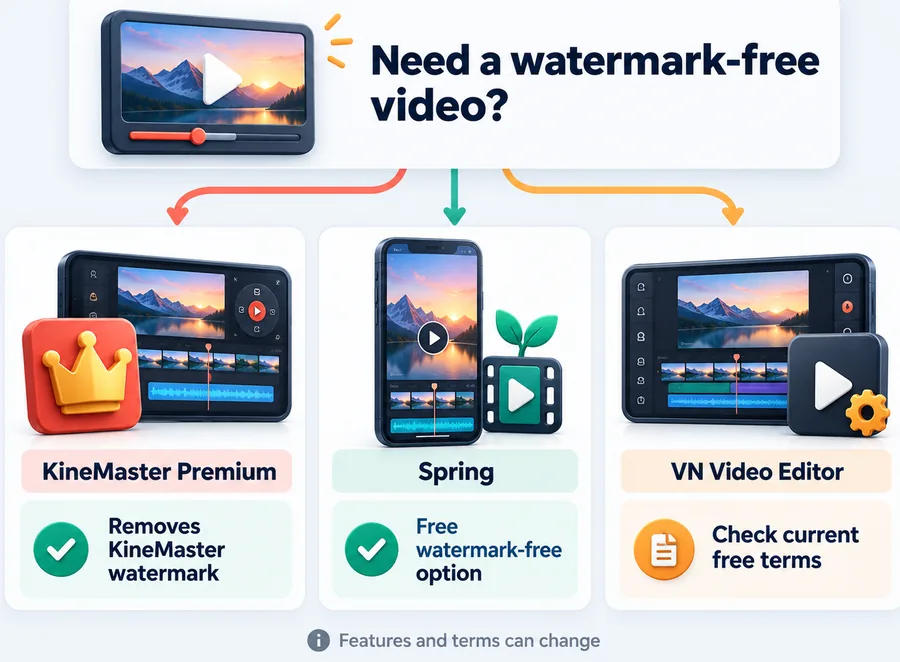
- Subscribe to KineMaster Premium. It removes the watermark and ads and unlocks Premium assets. The yearly plan works out much cheaper per month than monthly billing.
- Watch for official offers. KineMaster sometimes runs discounts and trials inside the app; check the subscription screen before paying full price.
- Use Spring for vertical videos. KineMaster’s Spring app is built for 9:16 Shorts and Reels, and Premium subscribers get Spring Premium included.
- Try a free watermark-free editor. If you cannot pay right now, editors such as VN let you export without a watermark on their free plan.
- Share the cost. If you edit for a team or channel, one paid account for the editor is usually cheaper than lost time from a broken mod.
Key Features of Official KineMaster
Multi-Layer Editing
Stack videos, photos, GIFs, text and stickers on a full timeline.
Keyframe Animation
Animate size, position and rotation on any layer.
Chroma Key
Remove green screen backgrounds for clean composites.
Speed Control
Slow motion, time-lapse and reverse playback.
AI Auto Captions
Generate subtitles from your audio automatically.
Text-to-Speech and AI Voices
Turn scripts into voiceovers in seconds.
Noise Removal and Vocal Separation
Clean up audio and split vocals from music.
AI Background Removal
Cut people out of the background without a green screen.
AI Upscaling
Improve low-resolution clips and photos.
Object Tracking
Make text and stickers follow moving subjects.
Templates and Asset Store
Thousands of templates, effects, transitions, music and fonts.
4K 60fps Export
Export presets for YouTube, TikTok and Instagram.
How to Download KineMaster Safely
- Open Google Play on Android or the App Store on iPhone, iPad or Mac.
- Search for KineMaster and check the developer is KineMaster Corporation.
- Tap Install and let the store handle updates automatically.
- Sign in to back up projects with KineCloud.
- Upgrade to Premium inside the app only if and when you need watermark-free exports.
Already Installed a Modified Version? Do This
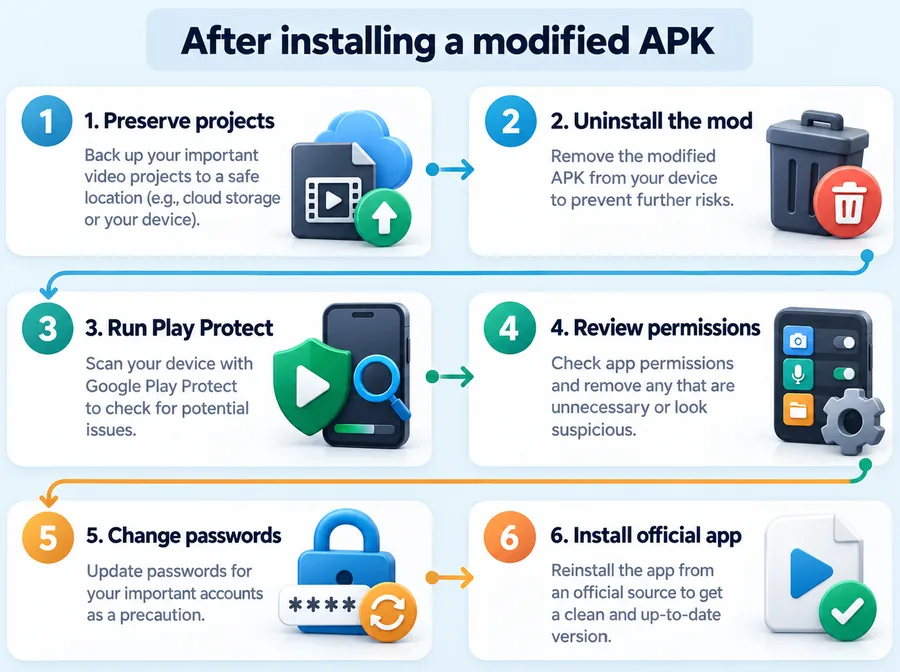
- Export or back up any projects you want to keep.
- Uninstall the KineMaster Mod APK.
- Run Google Play Protect (Play Store, profile icon, Play Protect, Scan).
- Check Settings > Apps > Special access and remove unknown apps with accessibility or device admin rights.
- Change your Google and KineMaster passwords if you signed in to the mod.
- Reinstall KineMaster from Google Play.
Best KineMaster Alternatives
| App | Best for | Free plan watermark |
|---|---|---|
| VN Video Editor | Free multi-layer editing | No watermark |
| CapCut | Short-form and templates | Ending clip, removable |
| InShot | Quick social edits | Watermark on free plan |
| PowerDirector | Advanced effects | Watermark on free plan |
Free plans change often, so check each app’s store page before you commit to a workflow.
Pros and Cons of Using a Mod
| Pros (claimed) | Cons (real) |
|---|---|
| No watermark | Unknown code with access to your gallery |
| Premium assets for free | No automatic updates or new AI tools |
| No ads | Crashes and corrupted projects |
| No subscription | Account and KineCloud at risk |
| No official support |
Final Thoughts
Searching for a KineMaster Mod APK is understandable: the watermark is annoying and subscriptions add up. But a modified file trades a clean export for real risks to your phone, your private media and your projects. Use the free official app to learn, upgrade to Premium when your videos need to look professional, or pick a watermark-free alternative in the meantime. Your edits, your account and your device stay safe either way.
Help Center
Frequently Asked Questions
Quick, honest answers about mods, watermark removal, Premium pricing and safety.
What is KineMaster Mod APK?
It is an unofficial, modified copy of the KineMaster Android app shared on third-party sites, usually claiming no watermark and Premium features unlocked. It is not made or approved by KineMaster.
Is KineMaster Mod APK safe?
It cannot be verified as safe. Modified files lose the original signature, cannot update from Google Play and can contain malware with access to your photos and microphone.
How can I use KineMaster without watermark?
Subscribe to KineMaster Premium, which removes the watermark and ads. If you cannot pay right now, use a free editor that exports without a watermark, such as VN.
What is KineMaster Diamond or Pro Mod APK?
These are names used by mod sites for modified builds with extra unlocked features. They are not official versions, and the same risks apply.
Is KineMaster Pro free?
The official KineMaster app is free with the full editing toolkit. Watermark-free exports and Premium assets need a Premium subscription.
How much does KineMaster Premium cost?
KineMaster lists Premium at about $8.99 per month or $59.99 per year in USD, but prices vary by country and promotions.
Should I install an old version of KineMaster Mod APK?
No. Old mods miss security fixes and AI features, and they often crash on newer Android versions or corrupt projects.
Can I use KineMaster on PC or Mac?
KineMaster runs on Apple silicon Macs through the App Store and on Chromebooks. On Windows, you can use the Android version through a trusted emulator. See our KineMaster for PC guide.
Is KineMaster available for iPhone?
Yes. KineMaster – AI Video Editor is on the App Store for iPhone and iPad. See our KineMaster for iOS guide.
Create Clean, Professional Videos Safely
Install the official KineMaster app and choose Premium or a free watermark-free option when you need it.